
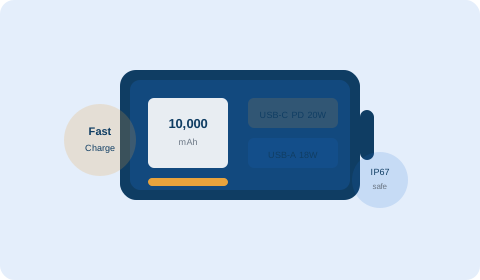
If you've searched "how to choose a power bank" you've probably already discovered that picking one isn't as simple as buying the biggest number you can find. A 20,000mAh bank sounds impressive until you're carrying 500 grams in your pocket. A "fast charging" bank sounds useful until you discover your phone and the bank use incompatible protocols and it charges at 5W anyway.
This guide cuts through the spec-sheet confusion and tells you exactly what matters, what doesn't, and how to match a power bank to your specific phone and daily routine. By the end you'll know exactly which capacity to buy, which charging standards to look for, and the three specs most buyers completely overlook.
Step 1: Work out how much capacity you actually need
Capacity is measured in mAh (milliamp-hours). Higher = more charges. But the real-world number of charges a power bank delivers is always less than the mAh rating suggests, because energy is lost as heat during the conversion from the bank's internal voltage to your phone's charging voltage. In practice, assume about 65–70% efficiency — a 10,000mAh bank effectively delivers roughly 6,500–7,000mAh to your phone.
How to calculate what you need
Find your phone's battery capacity in mAh (it's in your phone's settings or spec sheet). Divide your target power bank capacity by your phone's battery, then multiply by 0.65 to account for conversion loss.
Example: iPhone 15 has a 3,349mAh battery. A 10,000mAh power bank delivers: 10,000 × 0.65 ÷ 3,349 = approximately 1.9 full charges. A 20,000mAh bank delivers approximately 3.9 full charges.
| Power bank capacity | Full charges for 4,000mAh phone | Typical weight | Best for |
|---|---|---|---|
| 5,000mAh | ~0.8x (top-up only) | ~100–130g | Slim carry, occasional emergency |
| 10,000mAh | ~1.6x | ~180–250g | Daily commute, one-day trip |
| 20,000mAh | ~3.2x | ~350–500g | Travel, multiple devices |
| 30,000mAh+ | ~5x+ | 600g+ | Camping, long haul, laptops too |
Step 2: Understand charging speed — this is the most important spec most people miss
The number printed most prominently on a power bank is the capacity. The number that determines whether you can charge quickly enough to actually use the bank during a lunch break is the output wattage — and most budget banks are shockingly slow.
Standard charging vs fast charging
A standard 5W (5V/1A) output charges a modern 4,000mAh phone from 0% to 100% in about 4–5 hours. The same phone on a 20W USB-C Power Delivery charger goes from 0% to 80% in under an hour. That difference is not academic — it determines whether the power bank is useful on a 45-minute lunch break or just overnight.
Charging protocols — what to look for
- USB Power Delivery (USB-PD) — the universal fast charging standard supported by iPhone 8 and later, most Android flagships and almost all iPads. If your phone supports USB-PD and you buy a USB-PD power bank, you get the fast charging speed your phone is capable of. This is the most important standard to look for in 2026.
- Qualcomm Quick Charge (QC) — found in many Android phones (Samsung, Xiaomi, OnePlus). Quick Charge 3.0 and 4+ are significantly faster than standard charging. Works on QC-compatible phones only.
- Proprietary protocols — some manufacturers (Huawei SuperCharge, OPPO VOOC) use their own protocols that only work at full speed with their own accessories. A generic USB-PD bank may charge these phones at a slower speed.
Input speed matters too
Input speed is how fast the power bank recharges itself from a wall adapter. A 10,000mAh bank with 10W input takes 5–6 hours to recharge. The same bank with USB-C 18W input takes about 2.5 hours. If you want to top up the bank overnight and have it ready to go in the morning, check the input speed, not just the output.
Step 3: Count and check the ports
The number of ports determines how many devices you can charge simultaneously. The type of ports determines which devices work and at what speed.
USB-A vs USB-C
USB-A (the traditional rectangular port) is found on older accessories and cables. USB-C (the newer oval port) supports higher power, is reversible, and on most good power banks can act as both input (charging the bank) and output (charging your devices). A power bank with at least one USB-C port with Power Delivery is the right choice for anyone with a modern phone or laptop.
How many ports do you need?
- 1–2 ports — sufficient for most people who charge one phone at a time
- 3–4 ports — better for travel, families, or anyone who charges earbuds + phone simultaneously
Important: when multiple devices are connected, total wattage is divided between them. A bank with 20W total output shared across two devices delivers roughly 10W per device — still fast charging for one phone, but be aware that plugging in three devices at once slows everything down.
Step 4: Balance capacity against size and weight
There is a direct relationship between capacity and weight — lithium-ion cells are heavy. A 20,000mAh power bank weighs roughly as much as a full water bottle (400–500g). If you carry it every day, that weight adds up.
The right balance depends on your actual usage pattern:
- Commuter (office/home daily): 10,000mAh slim model, fits in a jacket pocket
- Frequent traveller: 20,000mAh with USB-PD, worth the weight for long flights
- Weekend hiker or outdoor use: 20,000mAh+ with rugged build, solar input is useful
- Laptop charging: 20,000mAh or higher with USB-C 65W+ output (check your laptop's charging wattage)
Step 5: Specs that sound important but mostly aren't
Power bank marketing is full of numbers designed to impress rather than inform. Here's what to ignore:
- "Digital LED display" — a percentage display is slightly more useful than LED dots, but makes almost no practical difference
- "10 output ports" — more ports than you'll ever use, and the total wattage is divided between them
- Ultra-high mAh at a very low price — battery capacity is directly tied to material cost; a 30,000mAh bank for AED 30 either has exaggerated specs or compromised safety
- Solar charging panels — the small panels on most portable banks take days of direct sunlight to add a meaningful charge. Useful as a very slow backup in emergencies, not as a primary recharging method
Step 6: Safety certifications — don't skip this
Power banks contain the same lithium chemistry that, in poorly designed products, can overheat or, in rare cases, catch fire. Safety certifications tell you the product has been independently tested. Look for:
- CE marking — required for European market, widely adopted globally
- FCC certification — US standard, common on quality products sold internationally
- RoHS compliance — confirms the product meets hazardous substance limits
- UN38.3 — international standard for lithium battery transport safety (required for air travel compliance)
Uncertified products sold cheaply through unverified online sellers are the ones most likely to have genuine safety issues. Stick to established brands and verified sellers.
Step 7: Check airline compliance before you buy for travel
Airlines measure power bank capacity in Watt-hours (Wh), not mAh, when enforcing their 100Wh carry-on limit (most airlines). You can calculate Wh from the mAh rating on the box: Wh = mAh × voltage ÷ 1000.
For a typical 3.7V lithium cell: 20,000mAh × 3.7 ÷ 1000 = 74Wh — within the standard 100Wh limit. However, some banks use higher-voltage cells, so always check the Wh figure printed on the power bank itself rather than calculating from mAh alone.
Wireless charging power banks — are they worth it?
Wireless charging power banks remove the need for an output cable — you just place your Qi-compatible phone on top of the bank. Convenient in theory. In practice, wireless charging is 30–40% slower than wired, generates more heat (which is bad for both devices long-term), and requires the phone to stay still on top of the bank. If you're typing with your phone while it charges, wireless doesn't work.
Use the wireless feature as a cable-free convenience option. Always default to the wired USB-C port when you need a fast charge.
Your power bank buying checklist
Calculate capacity needed
Phone battery mAh × number of charges wanted ÷ 0.65. Match to the next standard size up.
Check fast charging compatibility
Find out if your phone supports USB-PD or Qualcomm Quick Charge. Buy a bank that matches.
Check input speed
How fast does the bank recharge itself? USB-C 18W+ input is ideal for overnight recharging.
Count the right ports
At least one USB-C with Power Delivery. Add USB-A for legacy cables if needed.
Weigh up the weight
Daily carry: stay under 250g (10,000mAh). Travel: 20,000mAh is worth the extra weight.
Verify safety certifications
CE, FCC, UN38.3. Avoid uncertified products regardless of price.
Check airline Wh rating
If you fly, confirm the Wh figure on the box is under 100Wh for standard carry-on rules.
Common mistakes when buying a power bank
- Buying max mAh without checking weight — a 30,000mAh bank that sits at home because it's too heavy to carry daily is useless
- Not checking fast charging compatibility — a 65W bank connected to a phone that only receives 5W from non-compatible protocols charges no faster than a basic bank
- Assuming all USB-C ports are fast charging — some budget banks include a USB-C port that only outputs 5W; always check the wattage, not just the port type
- Buying based on mAh alone without checking Wh — particularly important for airline travel
- Ignoring input charging speed — a bank that takes 12 hours to recharge itself isn't useful for people who want to top it up quickly
🛡 Free Scam Protection Guide
How scammers steal your money, fake products and card details — free PDF, no signup needed.
Download Free Guide (PDF)Frequently asked questions
A 10,000mAh power bank charges most smartphones 1.5–2 times, which is sufficient for daily commuters. For travel or multiple devices, choose 20,000mAh. Use the formula: phone battery mAh × number of charges wanted ÷ 0.65 to calculate what you need.
Fast charging protocols like USB Power Delivery allow a compatible phone to charge 2–4x faster than standard 5W charging. If your phone supports fast charging, a matching power bank will save you significant time. Most phones made after 2019 support some form of fast charging.
Most airlines allow power banks under 100Wh in carry-on bags only — not in checked luggage. Check the Wh figure printed on the bank, not the mAh rating, since airlines use Wh for enforcement. A 20,000mAh bank is typically around 74Wh, which is within the standard limit.
Higher mAh means more charge but more weight and bulk. Buy capacity matched to your actual usage rather than maximum available. Most people who buy 20,000mAh banks discover they only needed 10,000mAh and wish it was lighter.
USB-A is the traditional rectangular port. USB-C is the newer oval port that supports higher power (up to 100W), is reversible, and typically can also charge the power bank itself. For modern phones and laptops, USB-C with Power Delivery is the more versatile and future-proof choice.
A quality power bank with overcharge protection, short-circuit protection and temperature management will not damage your phone. Avoid uncertified, very cheap products from unverified sellers, which may lack these safety circuits.
With a standard 10W charger, about 4–5 hours. With a USB-C 18W charger, about 2–2.5 hours. Always check the bank's input wattage, not just the output, to understand recharging time.
It's a useful convenience option but charges significantly slower than wired (typically 10–15W wireless vs 20W+ wired). Use wireless for light top-ups when you don't have a cable handy, and wired charging when speed matters.
Anker, Baseus, Xiaomi, AUKEY and Belkin consistently receive strong independent reviews for quality and reliability. The specific model matters more than the brand — always check reviews for the exact product you're considering.
Yes, if the power bank outputs at least 45W (preferably 65W+) via USB-C Power Delivery, and your laptop supports USB-C charging. Check your laptop's USB-C charging wattage first. Most MacBooks and many Windows laptops support USB-C charging.
Pass-through charging means the bank can charge a connected device while simultaneously being recharged itself. Useful but check whether it slows down one or both of the charge rates during pass-through.
The most common cause is a mismatch between your phone's fast charging protocol and the bank's output. Also check the cable — many cables only support 5W even if they physically fit. Use the cable that came with your phone or a certified 100W rated USB-C cable for best results.
Questions & comments
Have a question? Leave a comment and we reply within one business day.
Bought a 20,000mAh bank and barely use half of it. Should have just got 10,000mAh like this guide says. The capacity table is really helpful.
Didn't know about the Wh limit for airlines at all. Checked my bank and it's 74Wh — fine to carry on. Would have been annoyed at the airport otherwise!